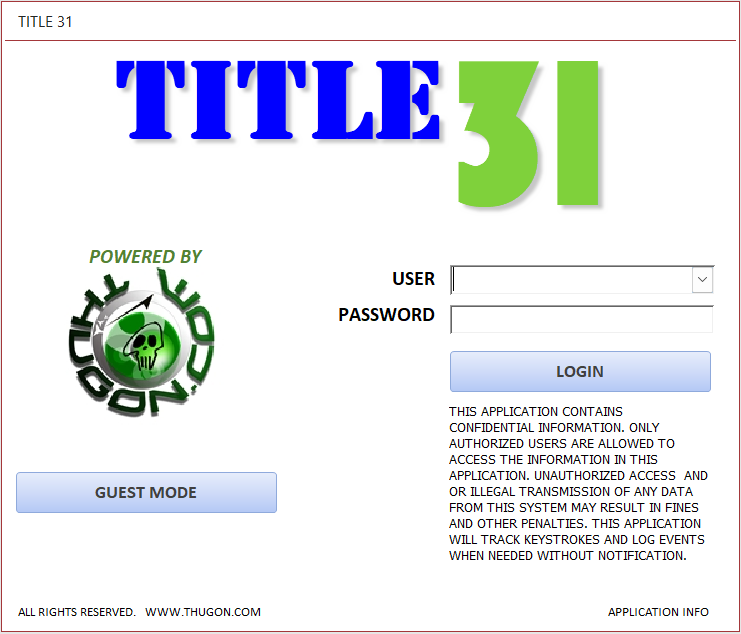
Title 31 Application (Free)
Transaction tracking and Bank Secrecy Act reporting database software for casinos and money service businesses. Built on FinCEN's schema 2.0. Microsoft Windows only. Azure remote desktop (recommended dedicated and not pooled) adaptable. Free to use.
What it does
Title 31 tracks every transaction across multiple locations and departments, and produces the records that FinCEN expects. FinCEN, the Financial Crimes Enforcement Network, is part of the Department of the Treasury. Its rules overlap with the work of the FBI, IRS, DOJ and others.
The goal was always the same: meet and exceed FinCEN's anti-money laundering (AML) requirements without needing a large server room.
Special note: This application does NOT upload and is NOT connected to the FINCEN submission portal. You must submit your SAR(SARC) and CTR through FINCEN's portal. FINCEN no longer accept legacy paper version.
Who it is for
- Tribal and other casinos, where it was first built
- Check cashing locations
- Money order services
- Any business that must register as a Money Service Business (MSB) under Title 31
Reporting requirements for these businesses are very similar, which is why one application fits all of them.
Features
- KYCKnow Your Customer
- SARSuspicious Activity Report
- CTRCurrency Transaction Report
- MILMonetary Instrument Log
- People tracking
- Incidents
- Memo
- Knowledge base (KB)
- Evidence control
- Training
- Time clock
- Shift management
- Admin and supervisor modes
- Lily voice commands
Runs on a standard Windows computer with minimal hardware, so it stays affordable for operators without advanced server management.
Application security
Approved PCs only
A key file is required. The application runs only on approved PCs, and Azure remote desktop is supported.
Rotating daily PIN
A daily PIN works with the key file to control access to the application.
Lockouts
Lockout attempts and IP lockout, with full lockout logs.
Login logging
Login log, PIN log and guest login log.
Credentials
Encrypted usernames and passwords, salted and peppered. Guest mode login available.
Encrypted layers
Both the frontend and the backend are encrypted.
Modules
Transaction reporting
CTR transactions
Alerts when daily cash in or cash out totals exceed $10,000. Totals aggregate by gaming day. Includes a list of CTRs from the last 90 days.
SAR
Aggregated list, SAR list, daily aggregated totals, filed list and filed compare list. Alerts at $5,000 or more. Aggregated float view.
MIL
Monetary instrument transaction list. $3,000 or more requirement, with daily aggregated alerts.
People
Search by license, transaction or SAR number. Active exclusions, exceptions list, pending items, reasons, custom alerts, and transaction, CTR, SAR and MIL alerts, plus reports.
Reports
Cash in, cash out, CTR, SAR, SAR filed and MIL reports.
Daily operations
Daily
Activity logs with date range, keyword, user entries, search, filters and reports.
Request
Smart update, requests, denied and approved views, department and request type search, corrections, and percentage reports by type.
Access
Logs for access areas, restricted areas, document access, secure locations, visitors and evidence, with search and reporting.
Incidents
Investigation module with categories 1 to 3, medical, theft and lost/recovered types, videos, subjects, users, department, name, keyword and date range search, corrections and reports.
Messages forum
Internal messaging with send and received views, search, collaboration, remove, float and section views.
Video, image and document archive
Holds archived videos, images, documents and other digital materials. Keyword and date range search, corrections. A tips section stores operational details.
Shift
Staff shift assignment with date, date range and employee search, reports and corrections.
Inventory
Password protected. Check in, check out, my check outs, serial search, status tracking, active and inactive items, reports and corrections.
Purchase orders
Password protected. Tracks purchase orders, status, updates, cost, expenditure and percentages. Supports expense accountability, inventory cross references and budgeting.
Compliance and training
Training
Tracks and manages all Title 31, AML and BSA training: employee tracking, departments, data set analysis, reports and corrections. A critical component of Title 31 regulations.
Memo
Documents procedure and policy changes to the Title 31 program. Generate, search and correct memos.
Knowledge base (KB)
Holds documentation critical to the Title 31 program, with keyword search, reports, descriptions and a document path link for quick location.
Evidence control
Storage and tracking of evidence with chain of custody, date range search, active and inactive items, reports, corrections and an EDocLink for easy location.
DMAIC
In the admin section. Create, update, list, print, modify and track process improvements.
Oversight: supervisor and admin
Supervisor
Monitors audit logs, footprints, purchase orders, user accounts, employees, corrections, requests, access, incidents, messages, archive, exclusions, security PIN, login logs, emergency procedures, training, memos, KB, evidence control, guest login, visitor access, Code 31 log, shifts, and CTR, SAR and MIL items.
Admin
Holds most executive commands and controls, including all the supervisor areas plus application locks, relink database, log clean up, compact tips, Lily commands and admin applications.
Manager section
Tracks management logs by category, department, shift, employee and status. Reports are percentage analyses. Violations should also be reported to HR.
Appraisal and disciplinary (internal)
Like the manager log, but used mainly for internal compliance and Title 31 staff. Same percentage reports. Violations should also be reported to HR.
Audit view
Shows what users are accessing, changing and deleting across many modules, with a quick view of everything. Footprints track certain additional areas.
Emergency and assistance
Code 31
Alerts triggered manually or by Lily voice command. Captures time, date, user and network user, and flashes on every user's dashboard until disabled.
Emergency section
Organizes emergency procedures for quick access. Admins can edit them, and they open right away when Code 31 is triggered.
Lily commands
Voice commands for the Lily assistant, which can open and close sections and respond by voice.
People flash mode
Opens the people section and flashes through everyone in the database. Used to train staff to recognize individuals and their statuses.
Tips
Notes that help users with the application and with procedures and policies.
Special sections
- Footprint monitoring. Supervisors and admins see timestamps, system user, login user, events and areas. Certain areas flag red.
- Admin advanced controls. Manual corrections, plus raw commands to filter, sort and find commands.
- Lock section. Admins can lock out sections and modules.
- Voice (Lily). Python must be installed on the user's PC.
- Admin apps. SHA1, SHA2 and SHA3 hashing, DB password extractor, Lily Assistant, T31 frontend and backend apps, PIN generator, password keeper and agent log app. Install each on every user's PC. Some require SHA2 hash verification.
- Relink. Links the frontend to the backend database for deployment and new setups. Needs the correct security access.
- Log clean up. Back up all logs for auditing before deleting them. Put this in your procedures.
History
- 2007–2009
Built as the MTL (Multi Transaction Log) at a Tribal casino in California, requested by the casino's management team and approved by the Gaming Commission. Development continued after leaving the Commission. - 2010–2025
Upgraded to meet NIST standards and additional FinCEN AML requirements. Extended for check cashing and money order businesses. - 2026
Current release, internal version 20260608. The download file name may say 2025, but the internal version is what counts.
Online Title 31 training quizzes (Free)
Test your Title 31 knowledge with these online quizzes. These quizzes and training are mandatory for employees to learn Title 31 regulations. All employees are required to take and pass the quizzes. Thus I created these training quizzes to simplify and quickly test employees' knowledge and return results to be saved for record keeping. One of the main goal is not necessarily how well an employee does on the quizzes but it is their improvement. For example, in one of my Title 31 training session, employees are allow to take the quizzes as many times as they like. The goal is simple; repetition equals better retention. At the minimum, I reccommend at least 50% passing score, Title 31 trainings twice a year and mandatory improvement and scoring for employees that may fail to follow AML and Title 31 procedures and policies. You can implement your own procedures and standards for taking the quizzes. The quizzes are free to use.
Training videos
These videos train staff on the Title 31 software. More are on the YouTube channel.
- Title 31 software REQUEST MODULE trainingWatch on YouTube
- Title 31 Customer Exemption TrainingWatch on YouTube
- FREE CASINO TITLE 31 VIDEOS AND IMAGES ARCHIVE TRAINING MODULEWatch on YouTube
- FREE Casino Title 31 software. Training Module and online Training Center.Watch on YouTube
- FREE Casino FINCEN / BSA Suspicious Activity Report (SAR) Software TrainingWatch on YouTube
- FREE TITLE 31 CASINO CTR TRAINING AND SOFTWAREWatch on YouTube
Get the software
You DO NOT need to subscribe to the Secure Access portal to download the T31 app for free. Just contact us directly for approval and a download link. Subscribe only to the Secure Login Portal if you want access to all of the other apps. The full version is free and has no registration requirement. It is provided as is / where is, with no guarantee or warranty. Registering is optional and supports further development. When you register the application, your company name appears on all reports.
Once again, you DO NOT need to subscribe to the Secure Portal to download the T31 app. Just contact us for approval. The full download is inside the secure portal. Downloads are restricted and must be approved, and portal access requires a subscription fee. To request approval, email your request.